A wakeboard flip needs more than a person in the air. The board, tow line and landing tell you what happened. Crop them out and you may keep the pose while losing the move.
The same problem comes up in football clips, riding scenes and balance tricks. Before choosing a reference for motion transfer AI, watch the action from its setup through its ending. Decide which parts make it recognizable.
Watch an original and a finished variation →
What a motion reference is for
A motion reference is an existing performance used to guide movement in a new clip. For example, Higgsfield's public motion-control documentation describes combining a source image with movement from a video.
That is a different starting point from asking an editor to invent an action from a written description. It also doesn't mean every tool transfers every visible detail. Camera behavior, clothing, objects and sound may have separate requirements.
Treat the reference as a performance you need to understand. If you can't tell where the movement starts, what supports the body or how the performer finishes, choose a clearer example.
Keep the thing that makes the action work in view
For football, that usually includes the feet and ball. A torso-only crop might show the player's confidence while hiding the touch you wanted to keep.
For wakeboarding, look for the board and the relationship between the rider and tow line. For a balance pose, look at the surface or object supporting the body. Two clips can have similar silhouettes while showing different actions.
The camera matters as well. A stationary view can make a small movement easy to read. A fast pan can make a simple move feel dramatic. Decide whether you like the performance, the camera move, or both before selecting the clip.
Watch past the impressive frame
An airborne frame says little about the landing. A raised arm says little about the throw. A rider leaning back says little about the recovery.
Play the reference through to the end. Does the performer regain balance, leave the frame or finish the interaction? If the clip stops just before that moment, you haven't seen the full action you are asking the result to carry.
In OopShort's sunset riding comparison, the rider, horse and lighting change while the riding action and camera angle remain the basis for comparison. Follow the movement first, then look at the changed appearance.
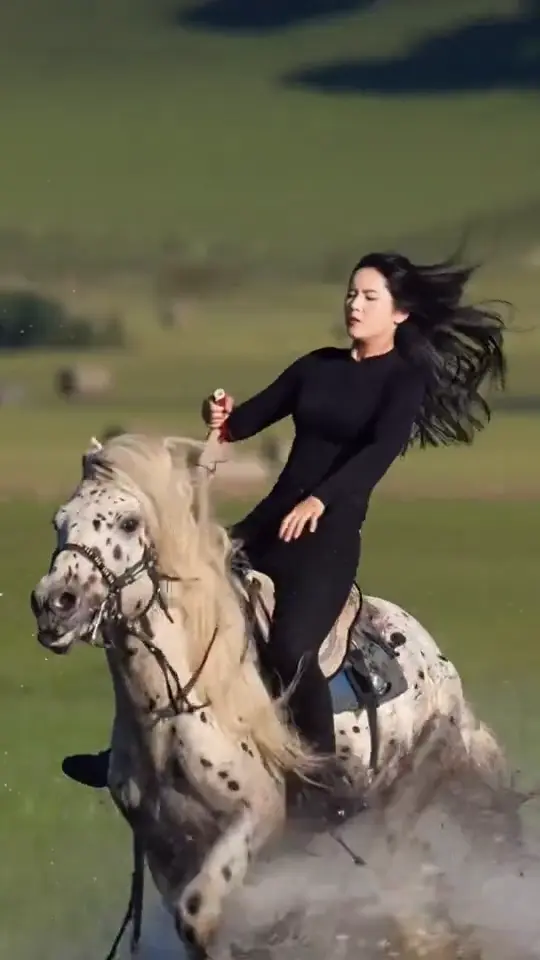
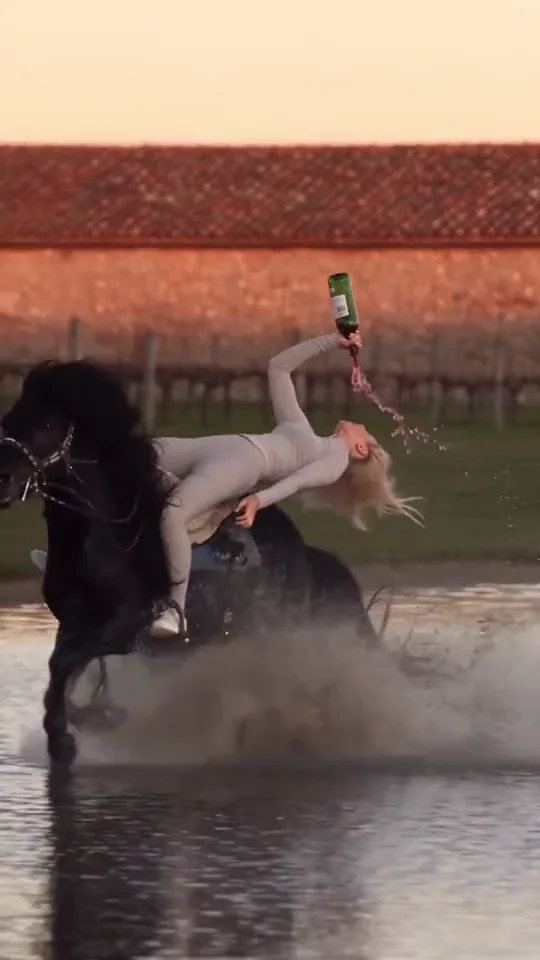
These frames introduce the example. The moving comparison is where you can judge the performance.
More people can make the reference harder to read
In a crowded clip, the person nearest the camera may not be the person whose action you want. Another player can cross in front of them. A spectator can enter the same patch of the frame.
Choose a reference in which the intended performer is easy to follow. Watch any moment when someone blocks the face, hands or feet. Ask whether you can still understand the action on the other side of that obstruction.
You can apply the same check to equipment. If a rail, rope or handle is essential, a view that hides it leaves an important part of the performance unexamined.
Prepare for the scene's actual upload requirements
A photo of a person and a video of a performance have different jobs. Some prepared scenes ask only for a photo because the scene already supplies the action. Others may ask for a prepared image or a video.
Read the material labels before collecting files. Don't spend time recording a reference that the scene doesn't accept, or assume a portrait can stand in for a required action clip.
Use media you have permission to upload. Check the offered output format and displayed cost before submitting. A public demo shows one creative result; it doesn't establish that every new reference will behave the same way.
Judge the action at normal speed
When you review a result, watch once without pausing. Can you tell what the person did? Does the ending follow from the movement before it?
Then inspect the interaction that defines the scene: foot and ball, rider and mount, hand and support. A recognizable face won't compensate for a missing landing or a changing object.
OopShort's comparison gallery is a place to inspect finished variations. Check Explore separately for the scenes currently available and the materials each one needs.